게시글:
Will Any Pen Work with an iPad? Exploring Your Best Options
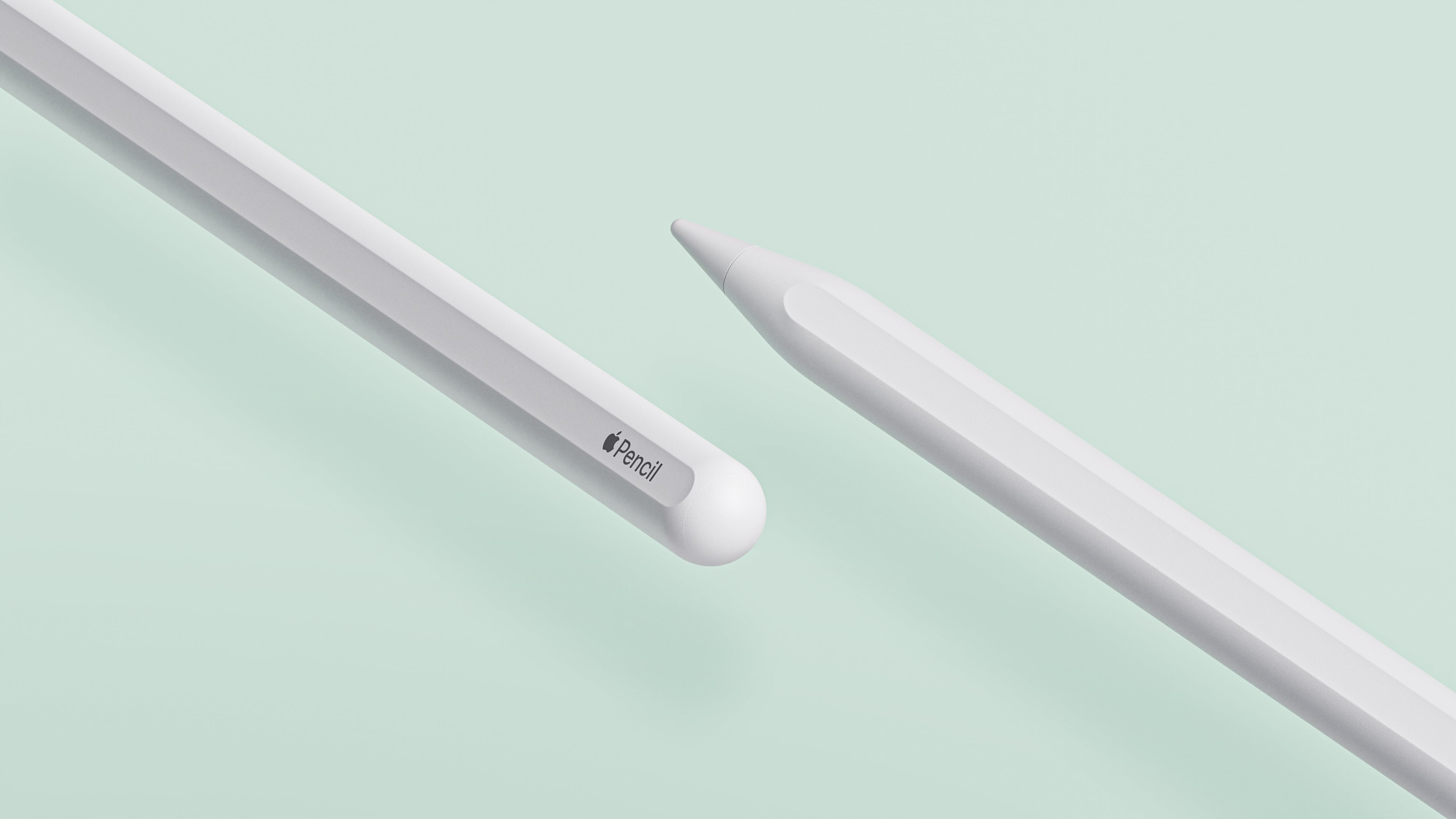
Will Any Pen Work with an iPad? Exploring Your Best Options
Finding the right pen for your iPad isn't just about picking any pen—it's about finding one that fits perfectly with how you use your device. Today, we're going to help you understand iPad pen compatibility and spotlight the Benks Digital iPad Pen, a strong competitor to the Apple Pencil 2, especially when considering value.
What Makes an iPad pen Compatible with an iPad?
iPads are compatible with active styluses, which are designed with electronic components that communicate directly with the touchscreen. This type of iPad pen allows for advanced features like palm rejection, which you won’t get from ordinary capacitive iPad pens (those that mimic your finger).

(Image Credit: Apple)
Key Features to Consider in the Apple Pencil 2
Here’s what to look for when shopping for an Apple Pencil:
-
Precision: Look for an iPad penwith a fine-point tip to improve your accuracy whether you’re drawing or jotting down notes.
-
Palm Rejection: Essential for a smooth writing or drawing experience, allowing you to rest your hand on the screen without making unwanted marks.
-
Battery Life: The longer the battery lasts, the less you’ll need to charge it, which is crucial for long drawing sessions or note-taking marathons.
-
Comfort and Design: A iPad penshould feel comfortable in your hand, especially during extended use.
-
Magnetic Charging: Convenient charging that allows you to easily snap the iPad penonto the side of your iPad for recharging.

Benks Pen
The Benks iPad pen stands out for its practical features and affordability:
-
Universal Compatibility: It works smoothly across a broad range of iPad models.
-
Ergonomic Design: Built for comfort, making it ideal for prolonged use.
-
Battery Life: Offers up to 9 hours of continuous use, enough to cover a full day of work or creativity.
-
Magnetic Charging: Like the Apple Pencil2, it supports magnetic charging, simplifying the way you charge the device.
-
Affordable: Provides essential iPad penfunctionalities at a fraction of the cost of an Apple Pencil 2.
Comparison at a Glance
Check out how the Benks iPad pen compares to the Apple Pencil 2 and other popular iPad pens:
|
Feature
|
Benks iPad pen
|
Apple Pencil 2
|
Other iPad pens
|
|
Precision
|
High
|
High
|
Mixed
|
|
Palm Rejection
|
Yes
|
Yes
|
Some models
|
|
Battery Life
|
Up to 9 hrs
|
Up to 12 hrs
|
5-10 hrs
|
|
Magnetic Charging
|
Yes
|
Yes
|
Some models
|
|
Price
|
$39.99
|
$129
|
$69.99
|
Final Thoughts
Choosing the right iPad pen for your iPad involves considering what you need it for—whether that’s detailed artwork, casual sketching, or note-taking—and finding a iPad pen that feels right for those tasks. The Benks Digital iPad Pen is an excellent choice for those who need reliable functionality without breaking the bank.

For more insights on how it compares to the Apple Pencil 2 and 3, head over to our blog. Find the perfect iPad pen and elevate your iPad experience!
Happy iPad pen hunting!
You May Want to Learn:
Apple Pencil 2 vs. Apple Pencil 3: Which Apple Pencil is Better?
Why Is The Apple Pencil So Expensive?
5 Must-Have Features of the Best Apple Pencil Alternative
Top 5 Must-Have Accessories for Your New iPad
<div class="dynamic-checkout__content" id="dynamic-checkout-cart" data-shopify="dynamic-checkout-cart"> <shopify-accelerated-checkout-cart wallet-configs="[{"supports_subs":true,"supports_def_opts":false,"name":"shop_pay","wallet_params":{"shopId":47053930645,"merchantName":"Benks","personalized":true}},{"supports_subs":true,"supports_def_opts":false,"name":"paypal","wallet_params":{"shopId":47053930645,"countryCode":"HK","merchantName":"Benks","phoneRequired":true,"companyRequired":false,"shippingType":"shipping","shopifyPaymentsEnabled":true,"hasManagedSellingPlanState":false,"requiresBillingAgreement":false,"gatewayType":"CONNECTED","merchantId":"ESZRRAH2DLBQ2","sdkUrl":"https://www.paypal.com/sdk/js?components=buttons\u0026commit=false\u0026currency=USD\u0026locale=ko_KR\u0026client-id=AexZEtAxk09Ncgj6FSWFFyGKbxxAZ_LTyJ2DPdJWl1YUlecinmc5AfIaRF2qYjWlusWahlzz6SVkY5Ci\u0026merchant-id=ESZRRAH2DLBQ2\u0026intent=authorize","serviceableCountryCodes":["AE","AL","AO","AR","AT","AU","AZ","BA","BE","BG","BH","BN","BR","BY","CA","CH","CL","CN","CO","CR","CY","CZ","DE","DK","DZ","EE","EG","ES","FI","FR","GB","GH","GR","HK","HR","HU","ID","IE","IL","IN","IS","IT","JO","JP","KE","KH","KR","KW","KZ","LK","LT","LU","LV","MA","MC","MD","MM","MO","MT","MX","MY","NG","NL","NO","NZ","OM","PE","PH","PK","PL","PT","QA","RO","RS","RU","RW","SA","SE","SG","SI","SK","TH","TW","TZ","UA","UG","US","VA","VN","ZA"]}}]" access-token="56b154c2f9adbcff9e5af72e4c299297" buyer-country="CH" buyer-locale="ko" buyer-currency="USD" shop-id="47053930645" cart-id="d2d0b44b73733a5f08112dc342dc96de" enabled-flags="["1172c16a","a1d1f9a1","f5afabb3","370070f3"]" > <div class="wallet-button-wrapper"> <ul class='wallet-cart-grid wallet-cart-grid--skeleton' role="list" data-shopify-buttoncontainer="true"> <li data-testid='grid-cell' class='wallet-cart-button-container'><div class='wallet-cart-button wallet-cart-button__skeleton' role='button' disabled aria-hidden='true'> </div></li><li data-testid='grid-cell' class='wallet-cart-button-container'><div class='wallet-cart-button wallet-cart-button__skeleton' role='button' disabled aria-hidden='true'> </div></li> </ul> </div> </shopify-accelerated-checkout-cart> </div>



댓글 남기기
이 사이트는 hCaptcha에 의해 보호되며, hCaptcha의 개인 정보 보호 정책 과 서비스 약관 이 적용됩니다.