

Artículo: Just Got Your iPhone Duo? 7 Protection Mistakes to Avoid on Day One
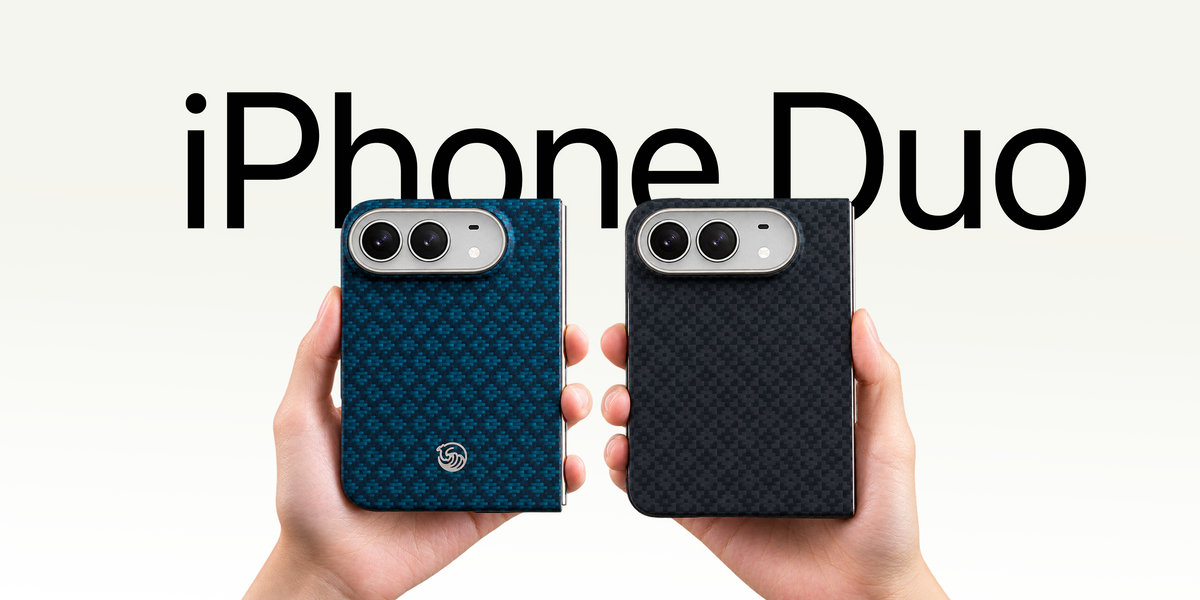
Just Got Your iPhone Duo? 7 Protection Mistakes to Avoid on Day One
Your iPhone Duo is finally in your hands. The temptation is obvious: unfold it, sign in, transfer everything, and spend the rest of the evening exploring the screen. But a foldable has a few more surfaces, moving parts, and accessory fit questions than a conventional phone. A small mistake in the first hour—using the wrong screen film, trapping grit under a frame, or forcing an accessory into place—can turn an exciting unboxing into an avoidable headache.
This isn't another list of accessories you must buy. Think of it as a day-one protection playbook: seven mistakes to avoid, a quick setup sequence, and a few checks you can repeat after the first week. You can follow it whether you prefer a nearly bare phone or a slim case with cover-screen protection.
60-second takeaway: Inspect before attaching anything; treat the flexible inner screen differently from the rigid outer screen; check accessory compatibility before installation; don't force a front frame or hinge; and choose a case for fit and daily handling, not just its material label.
The First 15 Minutes: A Protection Checklist
Before transferring data or peeling off a screen protector's backing, give yourself a clean, well-lit surface. Keep the packaging nearby until you've confirmed the device and accessories are correct. The sequence below helps prevent avoidable rework.
- Inspect: Look over the outer display, inner display, edges, camera area, and hinge without pressing on the folding screen.
- Clean: Check for loose grit and use only device-appropriate cleaning methods.
- Plan: Confirm whether your case's front frame and outer-screen protector have a required installation order.
- Install: Apply the approved outer-screen protector and case components according to their instructions.
- Test: Open and close normally, try edge gestures, and confirm button and port access.
If you notice an apparent defect during inspection, document it and contact the seller or manufacturer before installing accessories. Avoid trying to “fix” a questionable hinge or display yourself.
Mistake #1: Treating Both Displays Like Ordinary Glass
The iPhone Duo has two very different display environments. Its cover screen is the rigid display you use when the phone is folded. Its inner display is designed to bend. Those differences matter more than whether a screen protector package says “premium,” “9H,” or “ultra-clear.”
A conventional tempered-glass protector intended for a rigid outer screen is not a safe substitute for a product specifically approved for a flexible folding display. Don't peel away any factory-applied inner-screen layer unless Apple expressly instructs you to do so. Don't press hard on the crease to smooth a bubble, and don't apply a random adhesive film to the inner screen because it looks unprotected.
For the outer display, look for a protector sized for the actual cover screen and compatible with the front-frame case you plan to use. Some combinations leave little clearance at the edges. A protector that lifts after you attach a case is often a fit or installation-order problem, not proof that all screen protectors are bad.
Our inner-versus-outer screen protector guide explains the distinction in more detail. On day one, the simple rule is: never assume the same film belongs on both screens.
Mistake #2: Installing the Case Before Checking Screen-Protector Clearance
This is an easy mistake because a case feels like the first line of defense. You snap or attach the front frame, then discover that your cover-screen protector overlaps its inner edge. The result may be bubbles, lifting corners, or awkward swipe gestures. Removing and reinstalling everything wastes time and may weaken any adhesive attachment strips.
Before installing either component, compare their dimensions and follow the sequence recommended by the accessory maker. A bundled set can simplify that decision because the front frame and cover-screen protector are selected as a coordinated setup, although correct installation is still necessary. If you bought the parts separately, check the case maker's stated screen-protector compatibility rather than assuming all “iPhone Duo” accessories fit together perfectly.
Once installed, test the full perimeter of the cover screen. Open apps, swipe from the edges, type near the corners, and check that the frame doesn't press against the protector. If a gesture feels unreliable, investigate the fit and relevant display settings before concluding the phone itself is defective.

Mistake #3: Panicking When You See Adhesive Strips—or Reapplying Them Repeatedly
You have just bought an expensive new foldable, and the case includes adhesive strips. The first reaction might be: “Am I really supposed to stick something to this phone?” It's a fair concern, but the presence of adhesive alone doesn't tell you whether the case is well designed.
Slim foldable front frames have narrow areas to grip. Some case makers use adhesive-assisted attachment to keep those components aligned without relying on a deep, bulky lip. What matters is the specific attachment design, the condition of the phone's surface, and how you install and remove it.
A note from Benks: We've spent years developing accessories for Samsung foldable phones. Based on the after-sales feedback we've received from our foldable case customers, adhesive residue has not been a reported issue. That is our customer-service experience—not a guarantee that every strip, device finish, or removal situation is risk-free.
The avoidable mistake is treating adhesive as endlessly reusable. Dry-fit the frame as directed before exposing the adhesive. Apply it only when you're confident about alignment. Don't repeatedly peel it off and stick it back on to make tiny adjustments; the holding performance may change. If you need to remove the frame, follow the product's instructions, release it gradually, and avoid metal prying tools or improvised solvents.
For a closer look at the fear behind the question, read Will Adhesive iPhone Duo Cases Damage Your Phone?. The practical takeaway: careful installation beats rushed reassurance.
Mistake #4: Buying the Thickest Case Because the Phone Is Expensive
It's understandable to equate more material with more protection. But on a foldable, extra thickness affects both halves of the device. A heavy or bulky case can change how the phone feels folded, how comfortably it fits in a pocket, and how easy it is to handle one-handed. The right case is not necessarily the thickest one.
This is where aramid fiber deserves a closer look. Aramid fibers are known for their high strength-to-weight ratio. Kevlar® is a branded aramid fiber, not a synonym for every case with a woven pattern. In a carefully engineered phone shell, that material can support a slim, lightweight construction without the large padded profile of some conventional protective cases.
That does not mean a thin aramid shell guarantees better drop performance than a thicker TPU design. Impact protection depends on the whole case—its geometry, edges, materials, fit, and testing—not just the fiber name. Thick cases may be preferable for some users and situations. Think about the risks you face, then choose the level of coverage and bulk you're comfortable carrying every day.
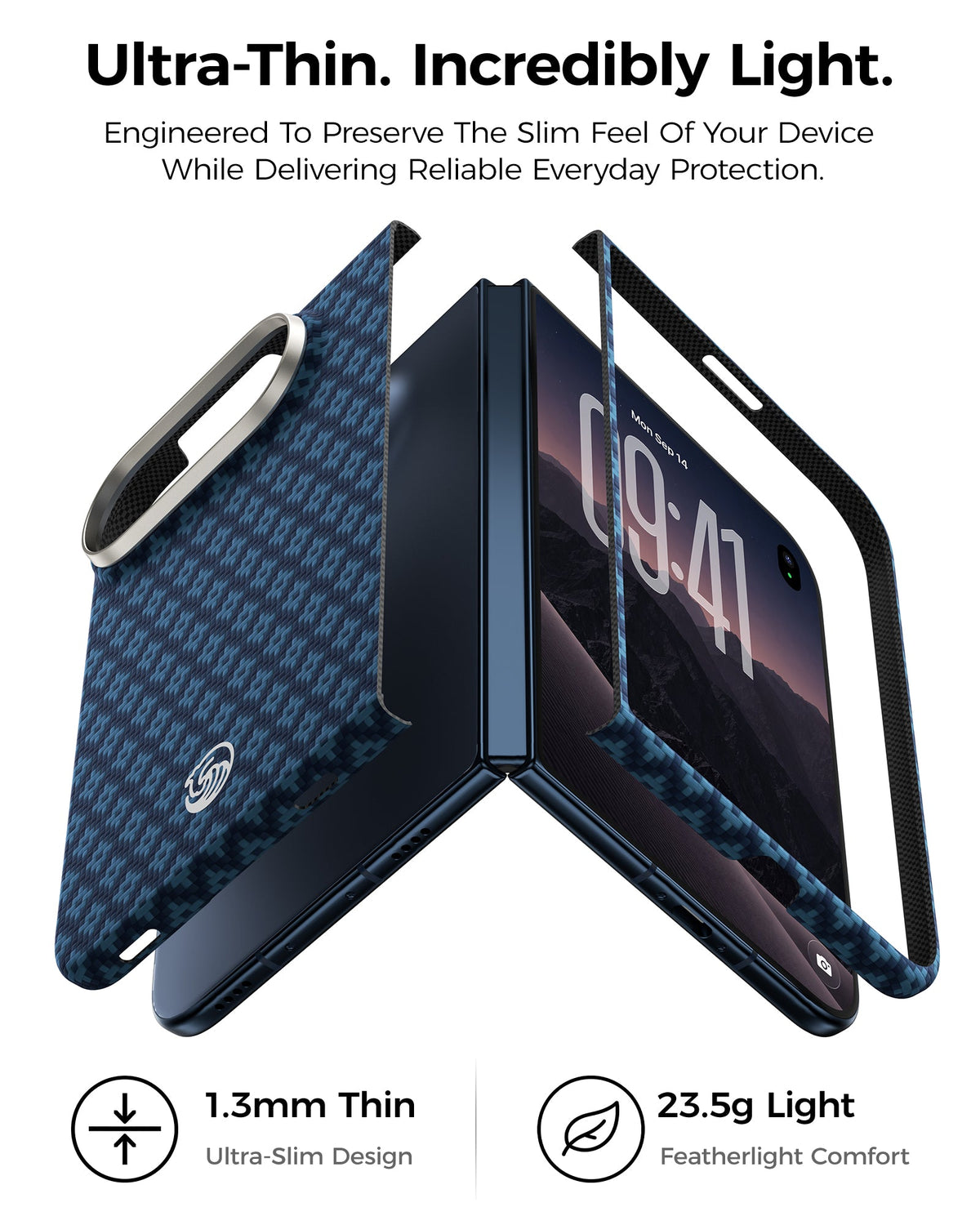
For users who want to preserve the Duo's slim feel, the Benks ArmorGrid Air Obsidian Black Grand Combo combines a Kevlar® rear shell, separate front frame, and outer-screen protector. It's a coordinated approach to everyday exterior protection, not a promise that a fall or hinge impact can never cause damage.

Mistake #5: Assuming a Case Protects the Hinge Automatically
A foldable's hinge is the feature that makes the device possible, and it's also an area where buyers often make assumptions. A case can cover the back and front edges while leaving the hinge exposed. Some designs add a hinge cover; others prioritize a slimmer profile and unrestricted folding movement. Neither approach should be described as universal protection.
The current Benks ArmorGrid Air Grand Combo does not include a hinge cover. We want that to be clear before you buy. If full hinge coverage is a must-have for you, check the exact product configuration rather than relying on lifestyle photos or a generic “360-degree protection” phrase. A hinge-covering Benks version is planned, but it should not be confused with the current product.
Day-one care is straightforward: keep sand, crumbs, and loose debris away from the hinge; don't place objects between the folding halves; and never force the phone to close if something feels obstructed. Avoid testing the hinge by bending it beyond its intended range. If opening or closing becomes abnormal, seek official support instead of attempting repairs.
Our article Does iPhone Duo Really Need Hinge Protection? explores that trade-off. The essential lesson is that front-and-back coverage is not the same as hinge coverage.
Mistake #6: Ignoring Buttons, Touch ID, and Edge Gestures After Installation
A case can look perfect on the table and still be frustrating in actual use. Before calling installation finished, check the features your fingers reach for dozens of times a day. The iPhone Duo uses side-button Touch ID, so comfortable access to that button matters. A frame should not make it difficult to place your finger as intended or interfere with normal button travel.
Enroll and test Touch ID following Apple's setup instructions. Try unlocking in both the folded and unfolded positions you normally use. If recognition seems inconsistent, check finger placement and device settings before assuming the case is the cause. There is no basis for claiming that a particular case universally disrupts fingerprint recognition without model-specific testing.
Next, test cover-screen gestures, especially swipes from the edges. Make sure the case frame and screen protector do not create an awkward ridge that changes your normal motion. Check the charging port, speakers, cameras, and any other openings for alignment. These quick checks are more useful than waiting until you're outside and discover the case interferes with something basic.

Mistake #7: Mistaking Every Warm Moment for a Case Problem
New phones often do a lot of work during initial setup: restoring apps, transferring photos, syncing accounts, and indexing content. Charging, video calls, gaming, and long camera sessions can also raise operating temperature. The phone may feel warmer than expected, particularly during its first day of heavy activity.
It's tempting to blame the new case immediately. A case can change how heat moves to your hand and the surrounding air, but a warmer feeling does not prove the case is causing an internal overheating problem. Likewise, aramid fiber is not an active cooling system. Benks uses Kevlar® for its strength-to-weight and slim-construction benefits, not as a verified way to lower iPhone Duo operating temperature.
If the phone gets unusually hot, pause demanding tasks, move it away from direct sunlight, and follow Apple's temperature guidance. If it displays a temperature warning, stop using it as instructed and let it cool in a suitable environment. If warmth is recurring during light use, or warnings persist, contact Apple Support. If Apple recommends removing the case during charging or cooling, follow that guidance rather than treating a case as a thermal solution.
The 24-Hour Reality Check: Does Your Protection Setup Actually Work?
The first installation is only half the story. After a full day of opening, folding, unlocking, charging, and carrying the device, give your setup a second look. This is a better test of daily compatibility than a single photo taken immediately after unboxing.
- Frame: Are any corners lifting or rubbing against the cover-screen protector?
- Screen: Are there new bubbles, raised edges, or blocked gestures?
- Hinge: Does the phone open and close normally, with no accessory contact?
- Controls: Are Touch ID and side buttons comfortable to use?
- Handling: Is the case comfortable when folded, unfolded, and carried?
- Cleanliness: Has dust collected at an edge where it should be gently removed according to care guidance?
If something is wrong, address it early. Don't keep forcing a misaligned component to fit. If you need to reinstall an adhesive-assisted front frame, check whether the original strips can be reused or should be replaced. If you are still shopping, consider whether a matched case-and-protector bundle could reduce compatibility guesswork.
A Simple Protection Setup for Different Kinds of Owners
Not every iPhone Duo owner wants the same thing. A minimalist may want a slim rear shell and coordinated cover-screen protection. A frequent traveler may prioritize a secure grip and careful storage around dust and grit. Someone who often changes cases should pay extra attention to removal instructions and replacement adhesive availability. And anyone especially worried about hinge impacts should verify whether a particular case physically covers that area.
For a lightweight everyday setup, Benks offers the ArmorGrid Air Kevlar® Grand Combo. Its separate rear shell, front frame, and outer-screen protector address several day-one decisions together. That combination is useful because fit and installation order matter; it doesn't eliminate the need to follow instructions or protect the uncovered hinge with careful habits.
If you're comparing materials first, our iPhone Duo case materials guide explains aramid fiber, TPU, silicone, and case configurations. And if you're still deciding whether to use a case at all, start with Does iPhone Duo Need a Case?. A smart day-one setup should be tailored to your habits, not a one-size-fits-all shopping list.

Quick FAQ: Before You Start Using Your iPhone Duo
Should I put tempered glass on the inner screen?
Don't apply ordinary rigid tempered glass to the folding inner display. Use only Apple-approved guidance and products specifically intended for that flexible screen, and do not remove factory-applied layers without official instruction.
Should I install the screen protector or the case first?
Follow the specific accessory manufacturer's installation sequence. With a front frame, fit and edge clearance matter; a coordinated bundle can make compatibility easier to assess.
Will adhesive case strips damage the phone?
Adhesive does not automatically mean damage, but no maker should promise zero risk in every condition. Clean surfaces, correct alignment, and careful removal are important. Benks' foldable-case after-sales feedback has not identified residue as a reported issue, but that isn't a universal guarantee.
Does a Kevlar® case help the iPhone Duo stay cooler?
A slim aramid-fiber case can reduce added bulk compared with some thicker designs. That is different from proving better thermal performance. There is no basis to claim the Benks case actively cools the phone.
Does the Benks Grand Combo protect the hinge?
No. The current ArmorGrid Air Grand Combo includes a Kevlar® rear shell, front frame, and outer-screen protector, but no hinge cover. Check the product configuration if hinge coverage is a priority.
Final Word: Protect the Experience, Not Just the Hardware
The best first-day protection plan is surprisingly unglamorous: inspect the device, understand the two screens, check case-and-protector compatibility, install carefully, and test how everything feels in real use. Avoid forcing parts, improvising with the inner display, or choosing a case on thickness alone. Those habits matter whether your case is aramid fiber, TPU, or something else.
If your goal is a slim, coordinated setup, explore the Benks ArmorGrid Air Grand Combo for iPhone Duo. It brings together a Kevlar® rear shell, front frame, and outer-screen protector so you can focus on using your new foldable—while staying clear-eyed about what the accessories do and do not cover.


Dejar un comentario
Este sitio está protegido por hCaptcha y se aplican la Política de privacidad de hCaptcha y los Términos del servicio.