
MagSafe & Wireless Charging: Complete Guide (2026)
Wireless charging has three competing standards, a confusing range of wattages, and marketing claims that rarely match real-world results. This guide explains how inductive charging works, what the differences between MagSafe, Qi2, and standard Qi actually mean for charging speed, how to choose a power bank, and what to do when your phone stops charging. No wattage claims taken at face value.
Table of Contents
- How Wireless Charging Works
- MagSafe vs Qi2 vs Qi: The Standards Compared
- Wired vs Wireless: Actual Speed Differences
- MagSafe Power Banks
- Choosing Capacity: 5,000mAh vs 10,000mAh
- Why Your Phone Gets Warm During Wireless Charging
- Does Your Phone Case Affect Wireless Charging?
- iPhone or Android Not Charging: Common Causes
- FAQ
How Wireless Charging Works
Wireless charging uses electromagnetic induction. A transmitter coil in the charger generates an alternating magnetic field, which induces a current in a receiver coil inside the phone. That current charges the battery. The two coils must be within a few millimeters of each other and aligned — misalignment is the most common cause of slow or failed wireless charging.
All wireless charging involves energy loss as heat. Current wireless chargers convert roughly 80–85% of input power into battery charge; the remaining 15–20% is lost as heat in both the charger and the phone. Wired charging is more efficient — typically 90–95% of input power reaches the battery. The heat you feel on the back of your phone during wireless charging is not a malfunction; it is a predictable consequence of the physics involved.
Magnetic alignment systems — MagSafe and Qi2 — add permanent magnets to ensure the coils are always centered. This eliminates the alignment variable and allows higher sustained power delivery without the risk of coil misalignment causing additional heat spikes.

MagSafe vs Qi2 vs Qi: The Standards Compared
Three wireless charging standards are relevant for phones sold in 2025–2026. They are not interchangeable in terms of maximum speed, though a Qi2 charger will charge a Qi-only phone and vice versa at Qi speeds.
Qi (pronounced "chee") is the base standard managed by the Wireless Power Consortium (WPC). It covers charging up to 15W, though most Qi accessories cap at 5–10W depending on the phone model. Coil alignment is mechanical — you need to place the phone approximately over the charging pad center. Qi is compatible with almost all wireless-capable phones released since 2015.
MagSafe is Apple's proprietary magnetic wireless charging standard, introduced with iPhone 12 in 2020. It uses 36 magnets arranged in a ring to align the phone precisely with the charger coil, enabling 15W charging on iPhone 12 through current models. MagSafe is specific to Apple devices — the magnetic alignment ring and 15W speed are not available to Android phones. MagSafe accessories (wallets, chargers, car mounts) use the magnet ring for attachment as well as for power transfer, which makes the ecosystem more useful than charging speed alone suggests.
Qi2 is the WPC's open standard, released in 2023 and based on Apple's MagSafe magnetic alignment design (Apple contributed the specification). Qi2 chargers operate at 15W and use the same magnet ring approach as MagSafe. For iPhone users, a Qi2 charger delivers the same 15W as a genuine MagSafe charger. For Android phones, the picture is more complicated: Qi2 support requires both a Qi2 transmitter and a Qi2 receiver in the phone. Android devices from Samsung, Google, and others are beginning to add Qi2 receiver coils, but many current models only charge at standard Qi speeds even on a Qi2 pad.
| Standard | Max speed | Magnetic alignment | Open standard | Compatible devices |
|---|---|---|---|---|
| Qi | 5–15W (device dependent) | No | Yes | Most wireless-capable phones |
| MagSafe | 15W | Yes (Apple magnets) | No (Apple only) | iPhone 12 and later |
| Qi2 | 15W | Yes (Qi2 magnets) | Yes | iPhone 12+, Qi2-certified Android |
The Benks 3-in-1 MagSafe charger stand charges iPhone at 15W via MagSafe magnetic alignment, Apple Watch, and AirPods simultaneously from a single cable. The InvisiBoost is a flat Qi2-compatible pad for devices not requiring the 3-in-1 format. Both are compatible with iPhone 12 through current models at full 15W speed.
Wired vs Wireless: Actual Speed Differences
The gap between wired and wireless charging speeds is substantial. A current iPhone 17 Pro charges to 50% in approximately 30 minutes via wired USB-C with a 30W adapter. The same phone on a 15W MagSafe charger reaches 50% in roughly 55–65 minutes. Wireless charging at 15W input does not deliver 15W to the battery — after conversion losses, effective battery charge rate is closer to 10–12W. For more on when wired versus wireless makes more practical sense, see whether wireless or wired charging is better for daily use.
Samsung Galaxy S25 Ultra and S26 Ultra support 25W wired fast charging and 15W wireless charging. The wired advantage is larger for Samsung than for iPhone because Samsung's wired charging ceiling is higher.
The practical case for wireless is convenience, not speed. Charging while using the phone on a desk stand, picking up and putting down without plugging in, and reduced port wear are the real benefits. For overnight charging, the speed difference is irrelevant. For topping up quickly before leaving, wired is faster by a significant margin.

MagSafe Power Banks
MagSafe-compatible power banks attach to the back of the phone magnetically and charge wirelessly without cables. They are slower than wired power banks — most output 7.5W to 15W depending on certification — but significantly more convenient for travel and situations where pulling out a cable is impractical.
The trade-offs are weight, size, and conversion efficiency. A MagSafe power bank transferring 5,000mAh of stored capacity to your phone at 15W wireless efficiency loses 15–20% to heat, delivering approximately 4,000–4,250mAh to the battery. A 5,000mAh wired power bank at 90% efficiency delivers approximately 4,500mAh. The wireless form factor costs you roughly 500–700mAh per charge cycle. For a detailed assessment of whether the MagSafe power bank format is worth that trade-off, see whether a MagSafe power bank is worth buying.
Non-MagSafe wireless power banks place the phone on a pad without magnetic alignment. The alignment must be done manually and maintained manually. These are more likely to fall off in a bag or shift out of alignment during charging, resulting in no charge delivered until the phone is repositioned. For iPhones and phones with Qi2 receivers, MagSafe or Qi2-certified power banks are worth the small premium for reliable alignment.
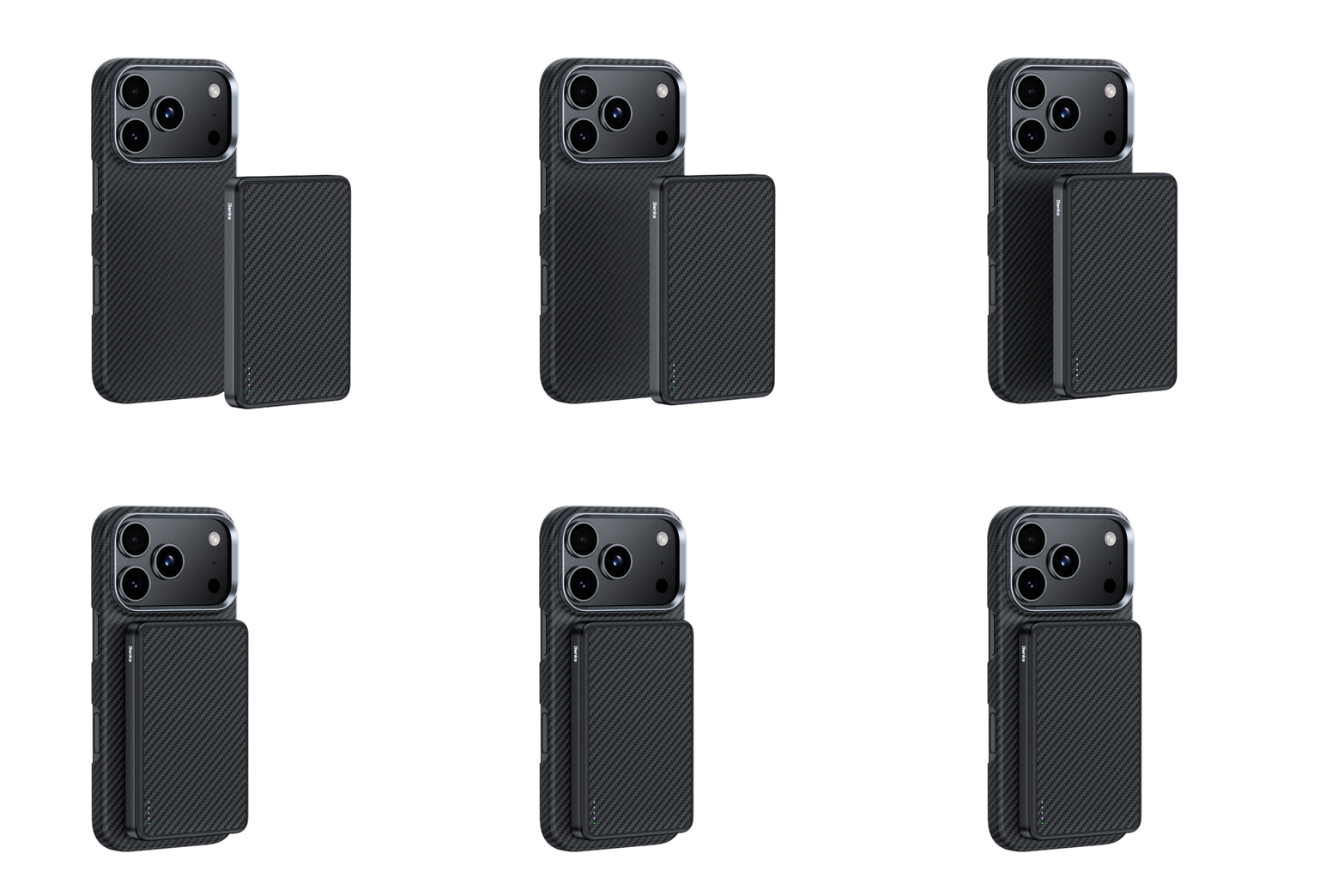
The Benks MagClap power bank lineup covers two practical capacity points: the StandGo 6,000mAh with an integrated kickstand for hands-free desk use, and the OnGo 10,000mAh for travel and longer days away from a charger. Both attach via a 36-magnet array and output at 15W. The JuicePod 10,000mAh adds a USB-C pass-through port for simultaneous wired and wireless charging.

Choosing Capacity: 5,000mAh vs 10,000mAh
Power bank capacity is rated in milliampere-hours (mAh) at the battery's internal voltage, typically 3.7V. Your phone charges at a higher voltage (usually 5V or above), so usable capacity is always lower than the rated figure. A 10,000mAh power bank at 3.7V stores approximately 37Wh. Delivered to a phone at 5V with 85% efficiency, it provides roughly 6,300mAh of actual charge — not 10,000mAh.
For reference: iPhone 17 Pro has a battery capacity of approximately 3,274mAh. A 5,000mAh power bank delivers roughly one full charge. A 10,000mAh delivers approximately two full charges. For the full breakdown of which capacity makes sense for different use cases, see 5,000mAh vs 10,000mAh power banks compared.
Weight and airline regulations are practical limits. Most airlines permit power banks up to 100Wh (approximately 27,000mAh at 3.7V) in carry-on. Power banks over 160Wh are prohibited from flights entirely. A 10,000mAh model adds 180–220g to your bag. A 5,000mAh MagSafe model designed to attach to the phone typically weighs 90–130g. If you rarely need more than one full charge on a day out, the lighter option is the more practical one.
Why Your Phone Gets Warm During Wireless Charging
Heat during wireless charging comes from two sources: the inductive energy conversion loss described above, and the phone's processor load during charging. iPhones and Android phones perform background tasks while charging — syncing, indexing, software updates — which adds processor heat on top of the charging heat. Using the phone actively during wireless charging compounds this further.
Most phones throttle wireless charging input when temperature exceeds a threshold (typically around 35–40°C skin temperature). This is a protective mechanism, not a fault. If your phone consistently stops charging or charges slowly in warm environments, placing it face-down on a cool surface or removing a heavy case that traps heat can help. For detailed guidance on wireless power bank overheating, see why wireless charging power banks overheat and how to prevent it.
Wireless charging on a cooling pad or in a room-temperature environment is meaningfully faster than on a warm surface or in a hot car. Temperature management is a real variable in wireless charging performance, not a minor footnote.

Does Your Phone Case Affect Wireless Charging?
Case material matters for wireless charging in two ways: thickness and conductivity. Inductive charging works through non-conductive materials up to approximately 3–5mm thick. A standard phone case at 1–2mm presents no problem. Thick battery cases or metal cases can block or reduce charging.
Metal cases — aluminum or steel — block wireless charging entirely by acting as a Faraday cage. Carbon fiber cases reduce wireless charging efficiency because carbon fiber is electrically conductive. The induced currents that should charge the phone battery instead partially dissipate in the case material, producing heat and reducing effective power delivery. Aramid fiber (Kevlar®) is non-conductive and does not affect wireless charging or MagSafe performance at all. For a detailed look at how case material interacts with MagSafe alignment and battery behavior, see whether MagSafe cases affect battery life.
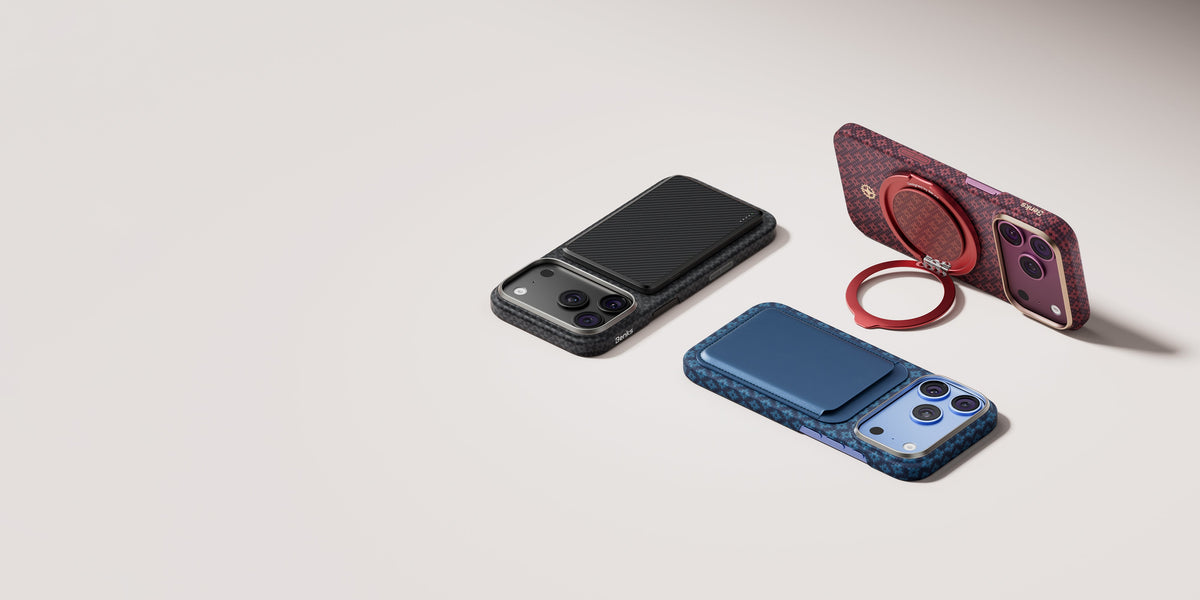
For MagSafe specifically, the magnet ring in the charger must align with the magnet array in the phone. Cases with a MagSafe-compatible magnet ring embedded allow the charger to attach and align correctly. Cases without the magnet ring still charge via Qi at reduced speed — the 15W MagSafe rate requires magnetic alignment. The Benks MagClap charging accessories — chargers, power banks, and car mounts — are designed around a 36-magnet array aligned to Apple MagSafe specifications, compatible with iPhone 12 through current models.

iPhone or Android Not Charging: Common Causes
When a phone fails to charge, the problem is almost always one of five things: a faulty cable, a faulty charger, a dirty port, a software fault, or a hardware fault with the battery or charging circuit.
Cable and charger issues account for the majority of charging failures. USB-C cables degrade internally before they show visible damage. Replacing the cable and charger is always the first step before drawing any other conclusion. Use a charger from a reputable source — uncertified chargers from unknown sources can damage batteries and, in rare cases, cause safety issues.
Port contamination is common in phones used in dusty or sandy environments. Lint from pockets compacts in the USB-C port over time until the cable can no longer make full contact. A wooden toothpick or anti-static brush can clear compressed lint without damaging the port — never use metal tools.
Software faults that prevent charging are less common but real. A forced restart (holding volume down and power simultaneously on most iPhones, or the equivalent on Android) clears transient software states that can block charging. For a full troubleshooting guide covering hardware and software causes, see why your iPhone is not charging and how to fix it.
Battery health degrades over charge cycles. Apple reports battery health as a percentage under Settings → Battery → Battery Health. Below 80%, a replacement is typically warranted. Apple replaces out-of-warranty iPhone batteries for a flat fee; third-party repair shops are generally cheaper but vary in component quality.
FAQ
Is it safe to leave your phone on a wireless charger overnight?
Yes. Modern phones have charge management circuits that stop active charging when the battery reaches 100% and resume when it drops slightly. Neither iPhones nor current Android flagships overcharge when left on a wireless pad. The only consideration is heat accumulation in a warm environment, which can marginally accelerate long-term battery degradation.
Does wireless charging damage the battery faster than wired?
Marginally, over years of use. The extra heat generated by wireless charging accelerates battery degradation slightly compared to wired. Studies from Urbane University suggest wireless charging produces battery capacity degradation roughly 5–10% faster over 500 cycles than wired charging under the same conditions. For most users this difference is negligible within a normal phone replacement cycle of 2–3 years.
Why is my MagSafe charger only charging at 7.5W instead of 15W?
The 15W MagSafe rate requires a USB-C power adapter of at least 20W. If you use a 5W or 12W adapter, MagSafe charges at 7.5W. The 15W rate is also not available when the phone is in Low Power Mode. Ensure you are using Apple's 20W USB-C adapter or an equivalent certified third-party adapter.
Can I use a Samsung charger to charge an iPhone wirelessly?
Yes, at Qi speeds (typically 5–7.5W). The Samsung charger will not provide MagSafe alignment or 15W rates — it is a standard Qi pad that happens to work. For Qi2 speeds on an iPhone, use a Qi2-certified charger, not a Samsung-branded Qi charger.
What wattage adapter do I need for fast wired charging?
iPhone 17 series benefits from a 30W or higher USB-C adapter; 20W is the minimum for full fast-charge speed. Samsung Galaxy S25/S26 supports 25W wired charging via USB-C and needs a 25W or 45W adapter to reach that speed. The adapter must support the relevant charging protocol (USB Power Delivery for Apple; PPS for Samsung's maximum rate).
Does airplane mode speed up charging?
Slightly. Enabling airplane mode reduces the phone's radio activity, which lowers processor load and heat, allowing more power to go toward charging rather than powering the radios. The effect is measurable but modest — typically 5–10 minutes faster to full charge in tests. Low Power Mode has a similar effect without cutting connectivity entirely.
Browse the full Benks charging lineup — MagSafe chargers, 3-in-1 stands, MagSafe power banks, car mounts, and wired adapters — at benks.com/collections/charging-accessories.


Leave a comment
This site is protected by hCaptcha and the hCaptcha Privacy Policy and Terms of Service apply.